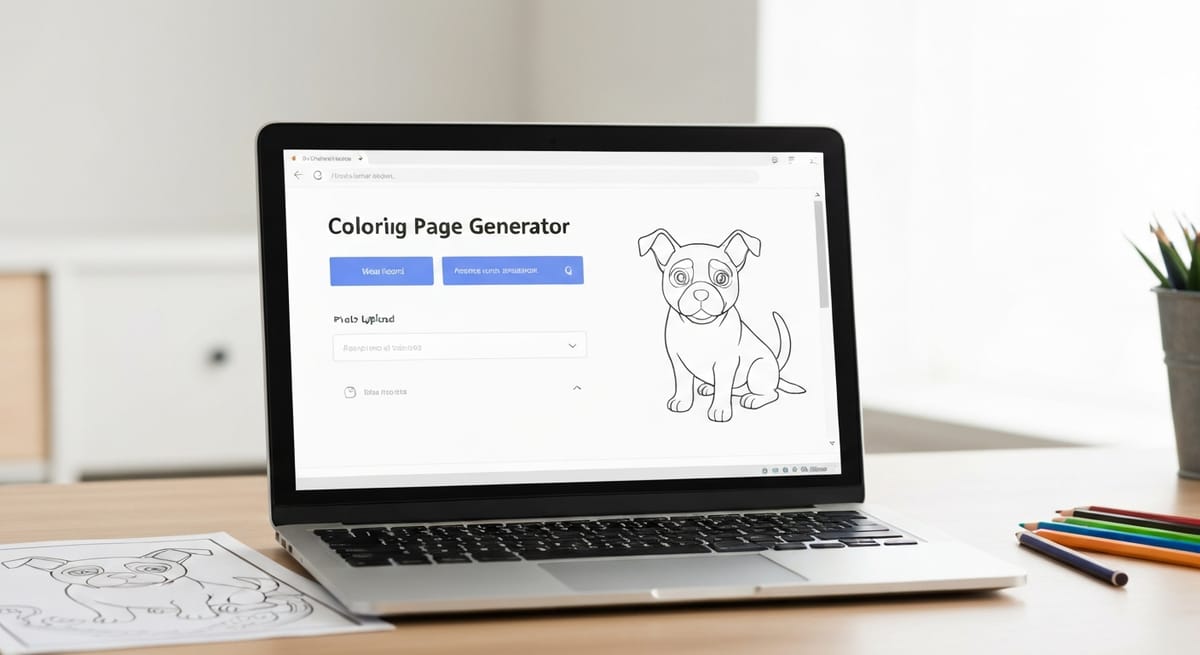
Come trasformare una foto in un disegno da colorare (strumento gratuito basato sull'intelligenza artificiale)
Come convertire qualsiasi foto in una pagina da colorare stampabile utilizzando uno strumento gratuito basato sull'intelligenza artificiale. La guida illustra i tipi di foto più adatti, fornisce istruzioni dettagliate, spunti creativi e consigli per colorare pagine personalizzate.
Last month I wanted to make a coloring page of my dog, Biscuit. He's a scruffy golden retriever with one ear that flops forward and one that sticks straight up, and I've never found a coloring page that looks anything like him. Generic dog outlines exist by the thousands, but none of them are my dog.
So I tried something different. I uploaded a photo of Biscuit to the AI coloring page generator on this site, and about 30 seconds later I had a black-and-white outline that actually looked like him. The floppy ear, the goofy smile, the way he sits with one paw crossed over the other. All there.
I printed it out, colored it with Prismacolor pencils, and stuck it on my fridge. It's been there for three weeks and it still makes me smile every time I grab the milk.
If you've ever wished a coloring page existed for something specific in your life, this is how you make it happen.
Why custom coloring pages hit different
There's nothing wrong with pre-made coloring pages. I color them all the time, and our cat and dog collections have some beautiful designs. But a custom page made from your own photo means more to the person coloring it.
My niece spent 45 minutes coloring a page I made from a photo of her hamster. She's six. Forty-five minutes of focused, quiet coloring from a kid who normally can't sit still for ten. When she finished, she held it up and said "It looks just like Nugget!" and that was worth more than any store-bought activity book.
Custom coloring pages work for all kinds of situations. Kids love coloring pictures of their own pets, their house, their favorite playground. You can turn a family photo into a coloring page and give it to grandparents as a gift (they will absolutely put it on their fridge). Teachers have used it to create coloring pages from lesson-related images. I've seen people turn vacation photos into coloring pages as a creative way to relive the trip.
The point is, when the image means something to the person coloring it, they engage with it differently. They take more time. They care more about getting the colors right.
How to use the tool (step by step)
The whole process takes about a minute. Here's what to do.
Step 1: Go to the generator page. Head to topcoloringpages.com/ai-coloring-page-generator. You'll see two tabs at the top: one for text prompts and one for image uploads. Switch to the image upload tab.
Step 2: Upload your photo. You can drag and drop a photo directly onto the page, or click to browse your files. The tool accepts standard image formats and files up to 10MB. Phone photos work fine.
Step 3: Adjust the settings. Before you hit generate, you'll see a couple of options. Complexity lets you choose between simple, medium, and detailed outlines. For most photos, medium works well. You can also adjust line thickness (thin, medium, or thick). If you're printing for young kids, go with thick lines and simple complexity. For adults or older kids, detailed with medium lines gives you more to work with.
Step 4: Generate and wait. Click the generate button and give it 20-30 seconds. The AI converts your photo into black-and-white outlines you can color.
Step 5: Download or print. Once your page is ready, you can download it as a PNG or PDF (in letter or A4 size), or print it directly from the browser. I usually download the PDF since it's sized perfectly for standard printer paper.
You get 3 free generations per day without an account, which is plenty for testing different photos and settings.
Tips for getting the best results
Not every photo converts equally well. After experimenting with dozens of images, here's what I've learned:
Bright, evenly lit photos produce cleaner outlines than dark or shadowy ones. Simple backgrounds help too. A dog sitting on a plain floor converts better than a dog in a busy park with trees, people, and playground equipment behind it.
The AI needs to understand what's in the photo, so close-up shots where the subject fills most of the frame work better than distant shots. High contrast matters as well. A white cat on a dark couch will convert better than a gray cat on a gray carpet. And if your first result has too much detail or too little, try regenerating with a different complexity level.
Best types of photos to convert
Some subjects just translate better into coloring pages than others. Here's what I've found works well.
Pets
Pets work the best. Dogs and cats have strong, recognizable outlines, especially their ears, noses, and body shapes. Close-up portraits of pets work the best. Full-body shots where they're sitting or standing also convert well.
I've tested this with golden retrievers, tabby cats, rabbits, and a friend's parrot. All produced coloring pages that were clearly recognizable as the actual animal. The parrot was probably the best one because the feather details gave you lots of sections to color.
Landmarks and buildings
Architectural subjects convert well. Buildings have strong geometric lines that translate naturally into coloring page outlines. Think churches, bridges, lighthouses, your own house. If you took photos on vacation, try converting a famous landmark into a coloring page. The Eiffel Tower, the Colosseum, a covered bridge you drove through in Vermont. These all make great pages because architecture is already made of lines.
Flowers and nature
Flowers are practically designed to be coloring pages. The petals create natural sections, leaves add detail, and the organic shapes are forgiving even when the AI doesn't capture every nuance. Sunflowers, roses, and daisies all work well. If you have a garden, try snapping a photo of your own flowers and converting them. Then check out our guide to coloring flowers for techniques to make them look realistic.
Family portraits and people
This one comes with a caveat. People photos can work, but the results are less consistent than pets or buildings. The AI does best with clear, well-lit portraits where faces aren't partially hidden. Group photos with everyone facing the camera in simple poses tend to work. Candid shots with motion blur or unusual angles tend to struggle.
When it does work, kids find it hilarious to color a picture of themselves or their family. It's worth trying even if you need a couple of attempts to get a good result.
What doesn't work well
Photos with very busy backgrounds produce cluttered outlines. If there are twenty objects competing for attention, the AI tries to outline all of them, and you end up with a page that's more confusing than fun. When this happens, try cropping the photo to isolate the subject before uploading.
Dark or blurry photos give the AI less information to work with. The outlines come out vague or incomplete. This isn't a flaw in the tool. It's just that the AI can only work with what you give it. A well-lit, sharp photo gives better results every time.
Photos with lots of tiny details (think: a shelf full of small objects, a crowded street market, a tree full of individual leaves) can produce pages that are either too detailed to color comfortably or too simplified to be recognizable. Medium-scale subjects with clear shapes work best.
Creative ways to use photo coloring pages
Here are some ways people have used it.
Birthday party activity
Convert a photo of the birthday kid into a coloring page and print copies for all the guests. Hand them out with a pack of crayons or markers. Kids go wild for this. It's cheap and personal, and it keeps them busy for a solid chunk of the party. Not sure which coloring tools to set out? Our comparison of crayons, colored pencils, and markers can help you pick.
Pet portraits as gifts
I made a coloring page of my sister's cat and gave it to her already colored, framed in a simple $5 frame from Target. She thought I'd commissioned an artist. Total cost: one sheet of cardstock, colored pencils I already owned, and a cheap frame.
Travel memory pages
Convert your favorite vacation photos into a mini coloring book. Print five or six pages, staple them together, and you've got a personalized souvenir that doubles as a relaxing activity. My friend did this after a trip to Italy and said coloring the photos helped her remember details she'd already started to forget.
Classroom projects
Teachers can convert educational images into coloring pages for younger students. A photo of a butterfly lifecycle, a historical building, or a science diagram becomes an engaging hands-on activity. The AI handles the conversion, so there's no need to draw anything by hand.
Tips for coloring your custom pages
Custom coloring pages have a slightly different feel than professionally designed ones. The lines might be a little less uniform, and the sections might not be as neatly divided. That's normal, and it's part of what makes them interesting.
Print on heavier paper
Standard 20lb printer paper works in a pinch, but 28-32lb paper makes a noticeable difference. The heavier stock handles colored pencils and markers without bleeding through or buckling. I use HP Premium32, which runs about $13 for 500 sheets and works well for all my coloring page printing.
Keep the original photo handy
One of the best parts of coloring a photo-based page is using the original as your color reference. Pull it up on your phone while you color so you can match your pet's actual fur color or get the flowers right. Or ignore the original completely and color it however you want. Both approaches are fun.
Adjust your expectations around detail
If you're used to coloring pages from professional illustrators with perfectly defined sections, AI-generated pages feel a little different. Some areas might have more open space, and some outlines might be softer. Lean into it. The slightly loose quality gives you more creative freedom about where to add shading and detail. If you want tips on technique, our colored pencils guide covers everything from basic layering to advanced blending.
AI-generated outlines sometimes work better with certain coloring tools than others. Colored pencils give you the most control for detailed pages. Markers work well on pages with larger sections. Watercolor pencils can produce a beautiful painterly effect on the softer outlines that AI tends to create.
AI-generated vs. pre-made coloring pages
I don't think of these as competing options. They serve different purposes.
Pre-made coloring pages from illustrators have polished, intentional designs. The line weights are consistent, the sections are sized thoughtfully, and the overall composition is crafted to be satisfying to color. Our topic collections (like cats, dogs, and flowers) have thousands of these pages, and they're great for when you just want to sit down and color without any setup.
AI-generated pages from photos are personal. They won't have the same level of polish, but they have something pre-made pages can't: meaning. A coloring page of your actual dog, your actual house, your kid's actual face. That personal connection changes the experience.
I use both regularly. Pre-made pages for everyday coloring when I want something relaxing and well-designed. Custom pages when I want something specific or when I'm making a gift.
Try it with one photo tonight
Pick one photo from your camera roll. Your pet, your house, a flower from your garden, whatever catches your eye. Go to the AI coloring page generator, upload it, and see what comes out.
It takes less than a minute, it's free, and you might end up with a new favorite coloring page. I printed Biscuit's page on cardstock, colored it with Prismacolors, and it's been on my fridge ever since.
Art Educator & Content Director
Art educator with 12+ years of classroom experience. Certified in Art Education and Child Development. Helping families and teachers unlock the power of creative play.
You Might Also Like
Come colorare i fiori: consigli per petali, foglie e bouquet realistici
Tutto ciò che devi sapere per colorare i fiori in modo realistico: ombreggiatura dei petali, tecniche per le foglie, direzione della luce, tavolozze di colori, errori comuni e i materiali migliori.
La guida definitiva alle pagine da colorare mandala
Tutto quello che devi sapere sulla colorazione dei mandala: scelta dei livelli di complessità, metodi di pianificazione del colore, tecniche, materiali, errori comuni e come creare una pratica quotidiana.
Come sfumare le matite colorate: 5 metodi, dal livello base a quello avanzato
Cinque metodi di sfumatura a matita colorata, dalla semplice stratificazione alle tecniche a solvente. Include consigli sulle forniture, una tabella di confronto e un piano di esercitazione di quattro settimane.